element-ui修改自定义主题

official document:https://element.eleme.cn/#/zh-CN/component/custom-theme
change color
- open:theme editor online button,modify color ,click 【change theme color】button upper left corner,chose one color you favorite
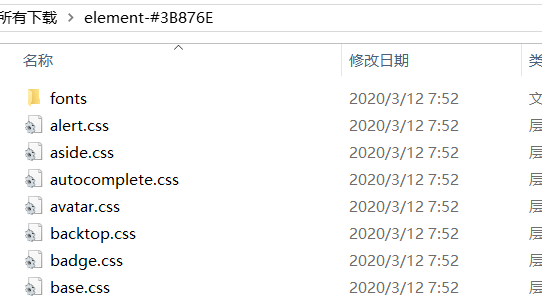
- click【download theme 】button,the folder structure like this:
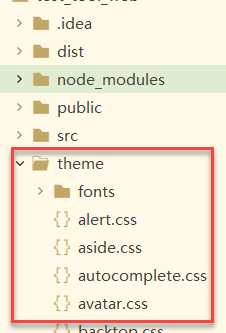
- in project root create a new folder,put the folder you just downloaded in it.
- open main.js
1 | import 'element-ui/lib/theme-chalk/index.css' |
- modify import part
1 | import '../theme/index.css' //theme path just downloaded |